
The cashier, the drawer, and the story of the shift
Staff tap in with a six-digit PIN. The drawer opens with a counted float and closes with a number.
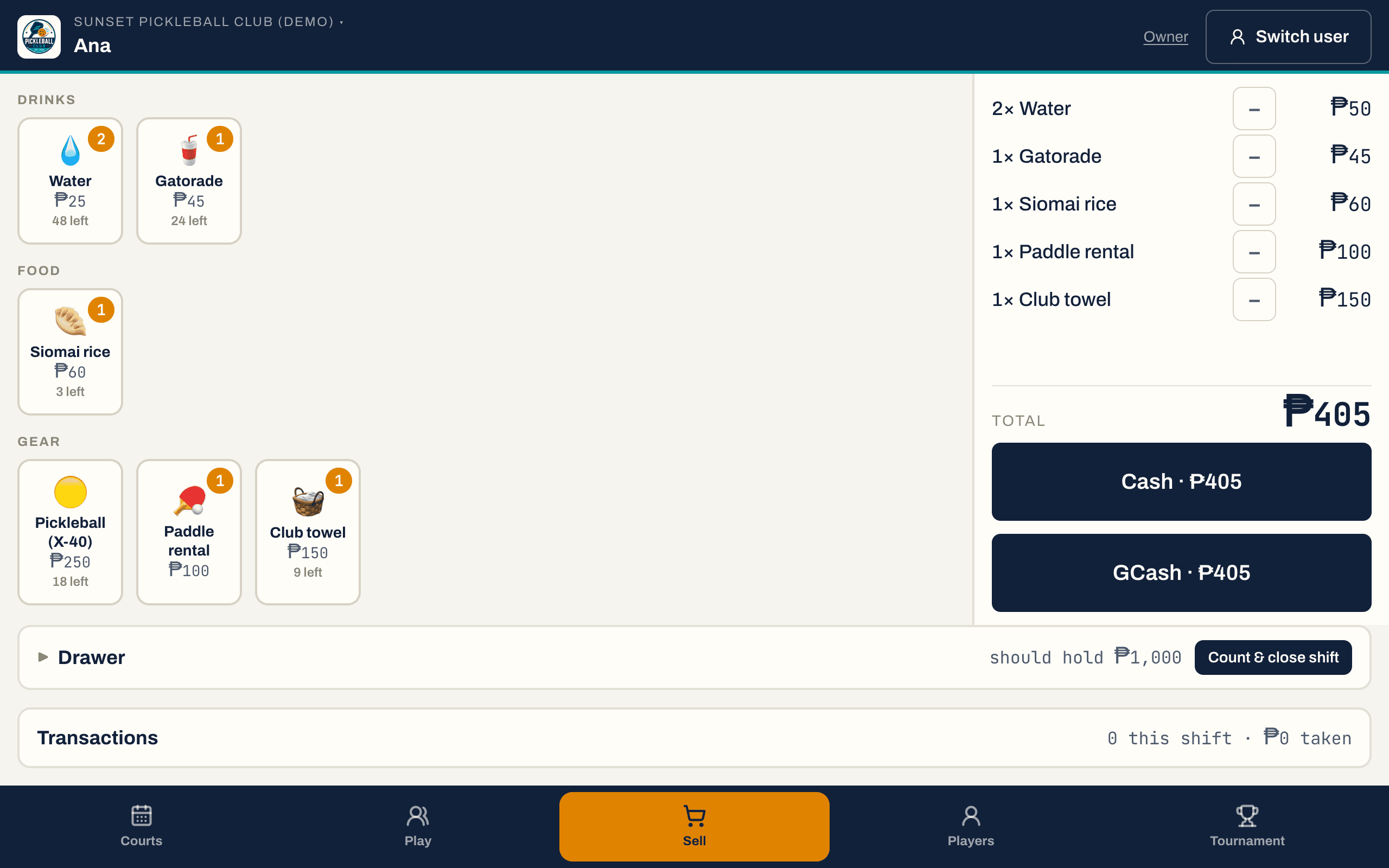
Every screen on this site is DinkDesk itself, running on our demo club — real software, not a real club's data.
A counter your cashier can actually work
Water, Gatorade, balls, paddle hire — photo tiles the counter taps, not a code anybody has to memorise. Tracked stock is a hard ceiling: the till refuses to sell the twelfth ball out of a box of eleven rather than quietly going negative. Every shift opens with a counted float and closes with a Z-report that says over or short.
Who is behind the counter
- The owner registers the counter device to the club once, by typing a code off their dashboard.
- After that, staff are a name and a six-digit PIN — no email, no password, no account to lose. The sixth digit is the enter key, so nobody hunts for a button.
- Switching staff mid-shift does not re-register the device; locking it puts it back on the PIN pad.
- A PIN alone opens nothing from the open internet: it is only accepted on a device the club already registered.
Selling
- Photo tiles, or an emoji if you have not taken photos yet, grouped by your own categories.
- Cash with the change worked out from what was handed over, or GCash with the reference typed in.
- Court time is not a product: a booking prices itself and the till simply records its payment.
- Receipts carry a short code the customer can quote, and the line labels survive a later rename of the product.
Stock
- A count that falls with every sale, and a low-stock mark you set per product.
- Untracked products — paddle hire, court time — simply have no count.
- A sale that would take a tracked count below zero is refused with the number that is left, so the staff can read it out.
- Voiding a sale puts the stock back on the shelf.
The drawer, and the argument it prevents
- A shift opens with the float counted into it.
- It closes against what the drawer should hold — float plus cash sales — and records over or short, with a note.
- What the drawer should have held is stored at close, not recalculated later, so a Z-report stays a record of that night.
- A handover closes the outgoing drawer against its own count and opens the next one in the same breath, so the drawer never belongs to nobody and both names stay on the record.
What the owner can see, and staff cannot change
- 27 kinds of desk action are journalled with who did them and when — bookings taken, moved, checked in and paid, sales, shifts, open play, players added.
- The desk surface has no edit and no delete on the journal. That is the whole bargain.
- Your owner PIN opens the club's settings on top of any counter screen — a court's rate, a product's price, tonight's session — and closing the panel locks it again. Staff never see a settings button.
- The same PIN shows you the day's takings and every shift's over-or-short on the counter tablet, so you can read the club without finding a laptop.
- A refund takes the owner's PIN at the counter, or the owner's own console for anything on a shift already counted. Either way it carries a reason and the row stays.
The five questions this always comes down to.
- My cashier is not technical.
- The counter has four tabs: Courts, Play, Sell, Today. Selling is tapping tiles and pressing one of two buttons. There is no menu tree, no product codes and nothing to configure — the owner sets the catalogue up once from their own screen.
- So my cashier can hand money back?
- Only with you standing there. A refund on the counter tablet — a court booking or a sale off the open drawer — opens a PIN pad, and it is your owner PIN, not a staff PIN. It authorises that one refund and nothing else, so it cannot be left unlocked on a counter. Anything on a shift that has already been counted and closed is yours to reverse on your own console, where the Z-report is in view.
- How do I know what is missing from the drawer?
- The close screen shows what the drawer should hold, you count what is in it, and DinkDesk records the difference against the shift and the person who opened it. Nothing is edited afterwards.
- Can staff delete a mistake?
- Nothing is ever deleted — a refunded sale stays on the record marked as refunded, with the reason on it. And they cannot refund it alone: the counter asks for your PIN, on that one refund, and asks again for the next one. A counter that can erase its own history is a counter with no history.
- Does it do BIR receipts?
- No. DinkDesk records the sale and prints nothing official — it is a counter and a drawer, not an accredited POS. Keep issuing receipts however you do today.
It is one club, so these are one record.
The person who books a court is the person who buys a drink, joins Thursday's open play and enters September's tournament — without anybody typing a name twice.
Front desk & POS comes with the venue, not on top of it.
DinkDesk Venue is ₱1,499 a month for court rental and the cashier — they are the same purchase, because they are the same counter. Open play and tournaments are switches you add later if you run them.
Try it first: 2 rentable courts, the cashier and one complete tournament, free, for at least 30 days.